






I used to blame my internet provider every time my Wi-Fi slowed down.
Videos buffered, pages took forever to load, and even basic tasks felt frustrating. But when I finally looked deeper, I realized the problem wasn’t always my plan—it was how I was using and managing my network.
That’s when I started testing simple fixes to understand how to fix slow internet at home without immediately upgrading or calling support.
What surprised me most was this: most issues had simple solutions.
Key Takeaways
- Slow internet is often caused by setup issues, not just speed plans
- Small adjustments can significantly improve performance
- Router placement and device management matter more than you think
- Regular maintenance helps prevent slowdowns
- You don’t always need expensive upgrades
Why Your Internet Feels Slower Than It Should
Before fixing anything, I had to understand the problem.
Internet speed depends on several factors:
- Router quality and placement
- Number of connected devices
- Background activity
- Network interference
Even with a good plan, these factors can slow things down.
Understanding this made it easier to approach how to fix slow internet at home step by step.
The First Thing I Checked (And You Should Too)

I ran a speed test.
This helped me compare:
- Actual speed vs. promised speed
- Upload vs. download performance
If your speed is consistently lower than expected, the issue might be with your provider.
But in most cases, the problem lies inside your home.
1. Router Placement Changed Everything
This was one of the biggest improvements I noticed.
Earlier, my router was tucked away in a corner.
Now, I place it:
- In a central location
- Away from walls and obstacles
- Elevated for better signal distribution
This simple change improved coverage instantly.
2. Too Many Devices Can Slow You Down
Every connected device uses bandwidth.
I checked how many devices were active and realized several were running in the background.
Now I:
- Disconnect unused devices
- Limit simultaneous usage
- Prioritize important tasks
This helped reduce network congestion.
3. Background Apps Were Eating My Speed
Many apps use internet without you noticing.
These include:
- Automatic updates
- Cloud syncing
- Streaming services
Closing unnecessary apps improved my connection immediately.
This is similar to avoiding tech mistakes slowing you down, where unnoticed habits impact performance.
4. Restarting My Router Regularly Helped
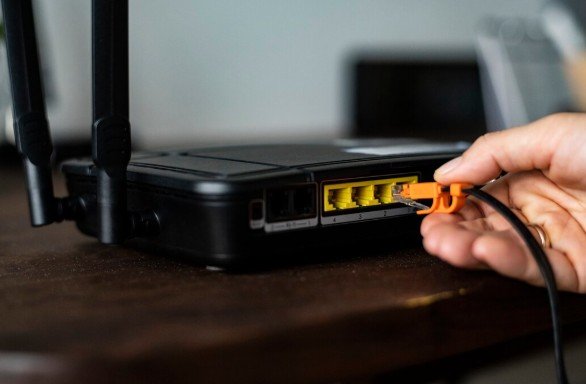
It sounds simple, but it works.
Restarting clears temporary issues and refreshes the connection.
I now restart my router once every few days.
5. Updating Router Firmware Made a Difference
Most people ignore this.
But firmware updates improve:
- Security
- Performance
- Stability
Keeping your router updated ensures it runs efficiently.
How to Fix Slow Internet at Home Step by Step
Here’s the exact process I follow now.
First, I run a speed test to understand the issue.
Then, I check router placement and move it if needed.
Next, I disconnect unnecessary devices and close background apps.
After that, I restart the router and ensure firmware is updated.
Finally, I review settings and adjust them for better performance.
This simple routine solves most issues.
Why Wi-Fi Interference Matters More Than You Think
Other devices can interfere with your signal.
Common sources include:
- Microwave ovens
- Bluetooth devices
- Nearby networks
Switching to a less crowded channel or using a dual-band router helps reduce interference.
6. Using the Right Band (2.4 GHz vs 5 GHz)
I didn’t realize this earlier.
- 2.4 GHz offers wider coverage but slower speed
- 5 GHz provides faster speed but shorter range
Switching between them based on usage improved performance.
7. Upgrading Equipment Only When Necessary
Not every problem requires new hardware.
But if your router is outdated, upgrading can help.
I only considered this after trying all other solutions.
How Digital Habits Affect Internet Speed
Slow internet is not always a technical issue.
Sometimes it’s about usage patterns.
For example:
- Streaming in high resolution unnecessarily
- Running multiple downloads at once
- Keeping too many tabs open
Improving habits can make a noticeable difference.
How This Connects With Productivity
Once my internet improved, my workflow became smoother.
Tasks took less time.
Frustration reduced.
This also improved how I use tools for better time management, because fewer interruptions mean better focus.
Advanced Fixes That Helped Me Further
After solving basic issues, I explored additional improvements.
These included:
- Using wired connections for important tasks
- Setting bandwidth priorities
- Using mesh Wi-Fi systems
These steps are optional but useful for larger homes or heavy usage.
How Security Affects Internet Performance
Network security also plays a role.
If unauthorized users access your network, it can slow things down.
Learning how to protect your digital identity also helps secure your network and improve performance.
Common Mistakes That Keep Internet Slow
Here are some mistakes I avoided:
- Placing the router in closed spaces
- Ignoring updates
- Overloading the network
- Using outdated equipment
Fixing these made a big difference.
How to Maintain Fast Internet Long-Term

Once you fix the problem, maintaining it is key.
I follow a simple routine:
- Restart router weekly
- Check connected devices
- Update firmware regularly
This keeps everything running smoothly.
FAQs
1. Why is my internet slow even with a good plan?
Because factors like device load, router placement, and interference affect performance.
2. How often should I restart my router?
Once a week is usually enough for optimal performance.
3. Does router placement really matter?
Yes, it significantly impacts signal strength and coverage.
4. When should I upgrade my router?
If your device is outdated or unable to handle your usage needs.
Fix Your Internet Before You Blame Your Provider
What I learned changed how I approach internet problems.
Slow internet isn’t always about your plan.
It’s often about setup, habits, and small adjustments.
Once you understand how to fix slow internet at home, you can improve performance without unnecessary upgrades or expenses.
Start with simple changes.
Test what works.
And build a setup that supports your daily needs without frustration.